




Your own computer, run by agents.

Ask for what you want. Claude Code or Codex builds it on a server you own, runs it on schedule, and tells you only what needs you.

Paste into Claude Code or Codex
Set me up with Springroll: follow https://raw.githubusercontent.com/stumptowndoug/springroll/main/docs/install.md

It sets up a server with you and installs Springroll. exe.dev is 7 days free with a paid ChatGPT subscription, then $15 a month.

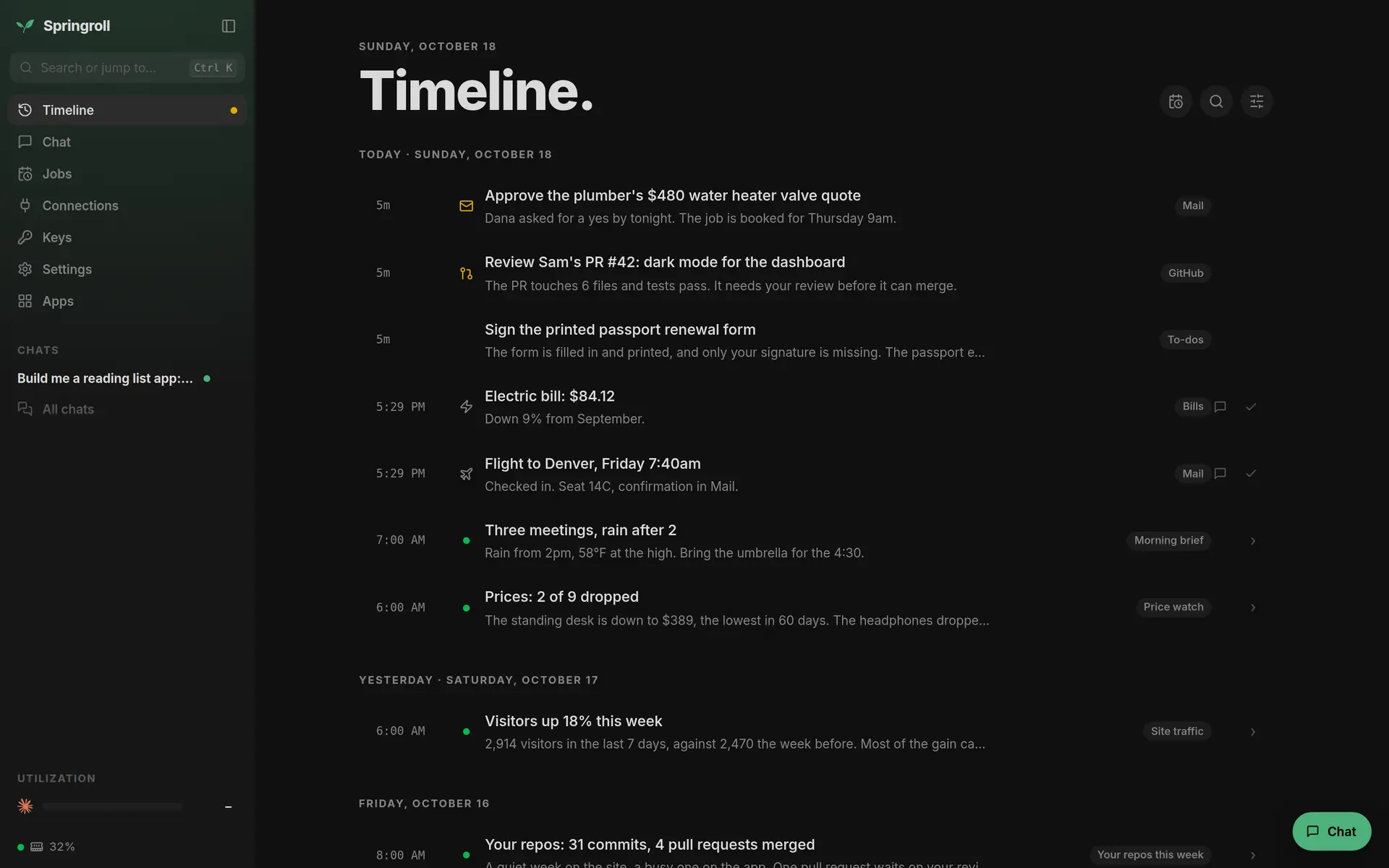
The Timeline: three things waiting on you, then the day's job reports
The Timeline: what needs you comes first, then everything your jobs did.

Bring the agents you already pay for.

Springroll runs the real command-line agents, signed in with the plans you already have. Claude Code and Codex use your Claude or ChatGPT subscription, Cursor your Cursor plan, Antigravity your Google account, and OpenCode and Pi whichever provider you like. There's no API bill on top and no model of ours in the middle.

  • Claude Code
  • Codex
  • Cursor
  • Antigravity
  • OpenCode
  • Pi

All six are built in: one click installs an agent and signs it in. Pick one per chat or per job, switch the day a better one comes out, or put two on the same problem for a second opinion. Nothing you build is tied to any of them.

Ask, and it's built.

Tell it what you want in plain words: "sort my mail every morning", "tell me when this drops under $300", "build me a reading list". A coding agent writes it, tests it and tells you what it did. The reading list here took one sentence and three and a half minutes.

Whatever it builds stays on your server: a small app with its own page, a job on a schedule, or both. Every app has an API, so the agents can use it as easily as you can.
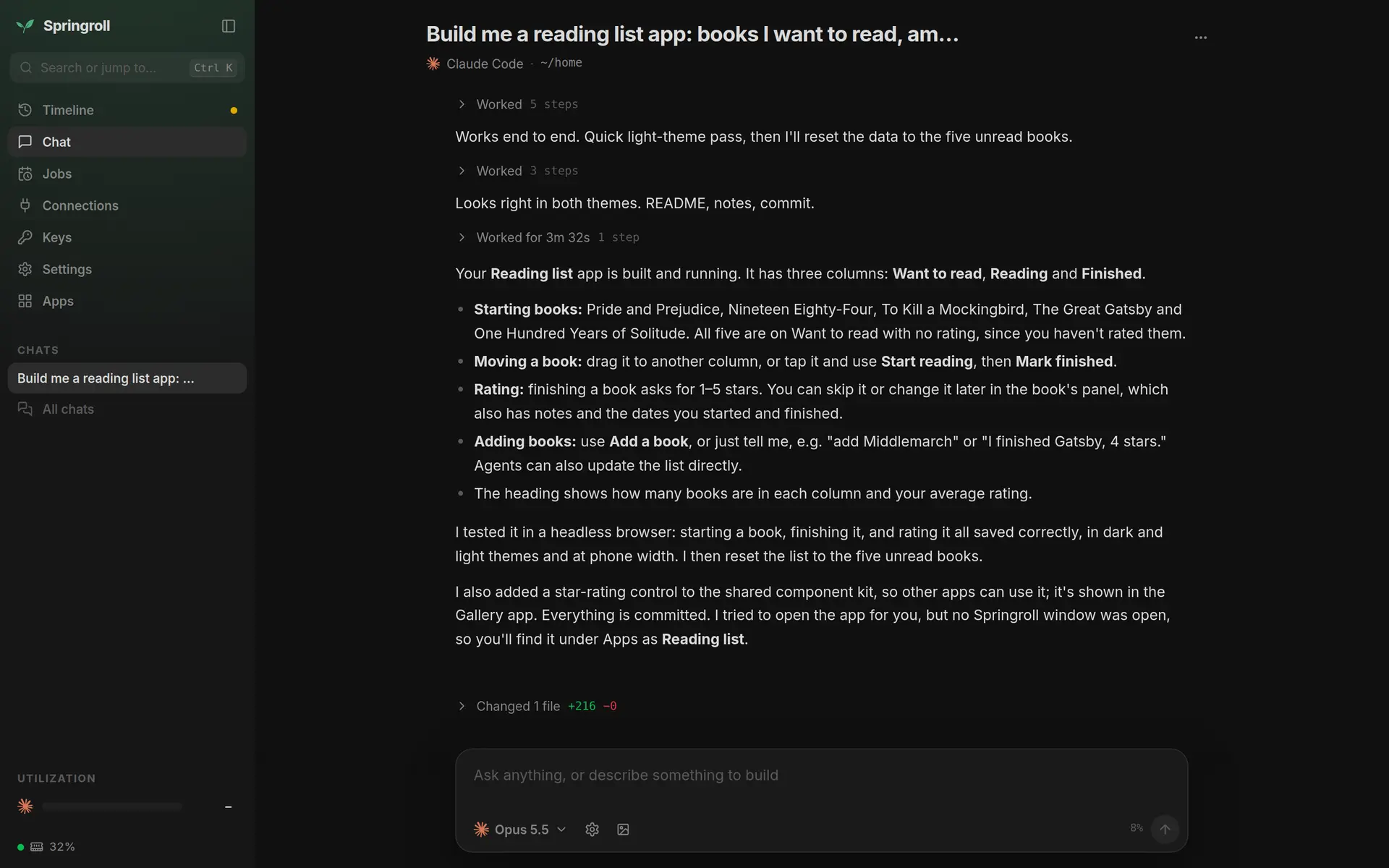
A chat: Claude Code reports the Reading list app it built and tested

Not another app you rent.

Springroll isn't something you sign up for and put up with. It runs on your server, with the agent plan you already pay for, and everything on it, Springroll's own code included, sits in one git repo that belongs to you. There's no account with us and nothing to cancel.

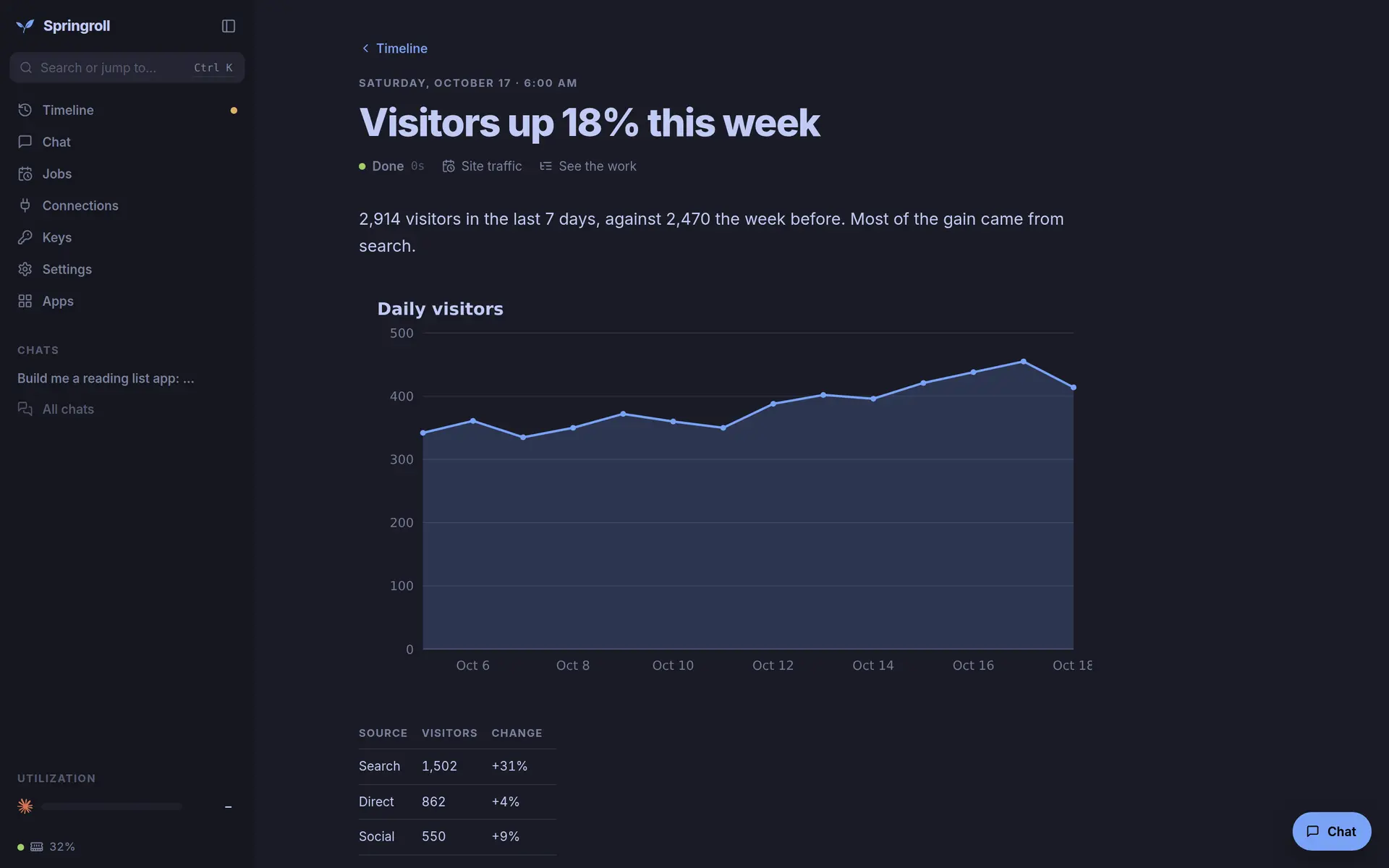
Don't like how something works? Ask, and it changes. Pick one of 17 themes or describe your own, rework an app, move the whole layout around. Each week an agent brings in what's new upstream the way a good maintainer would: it keeps your changes, skips what you've replaced and tells you what it did. Turn that off and nothing breaks.

A report in the Tokyo Night theme: visitors up 18% this week, with a chart and a table

Schedules that look after themselves.

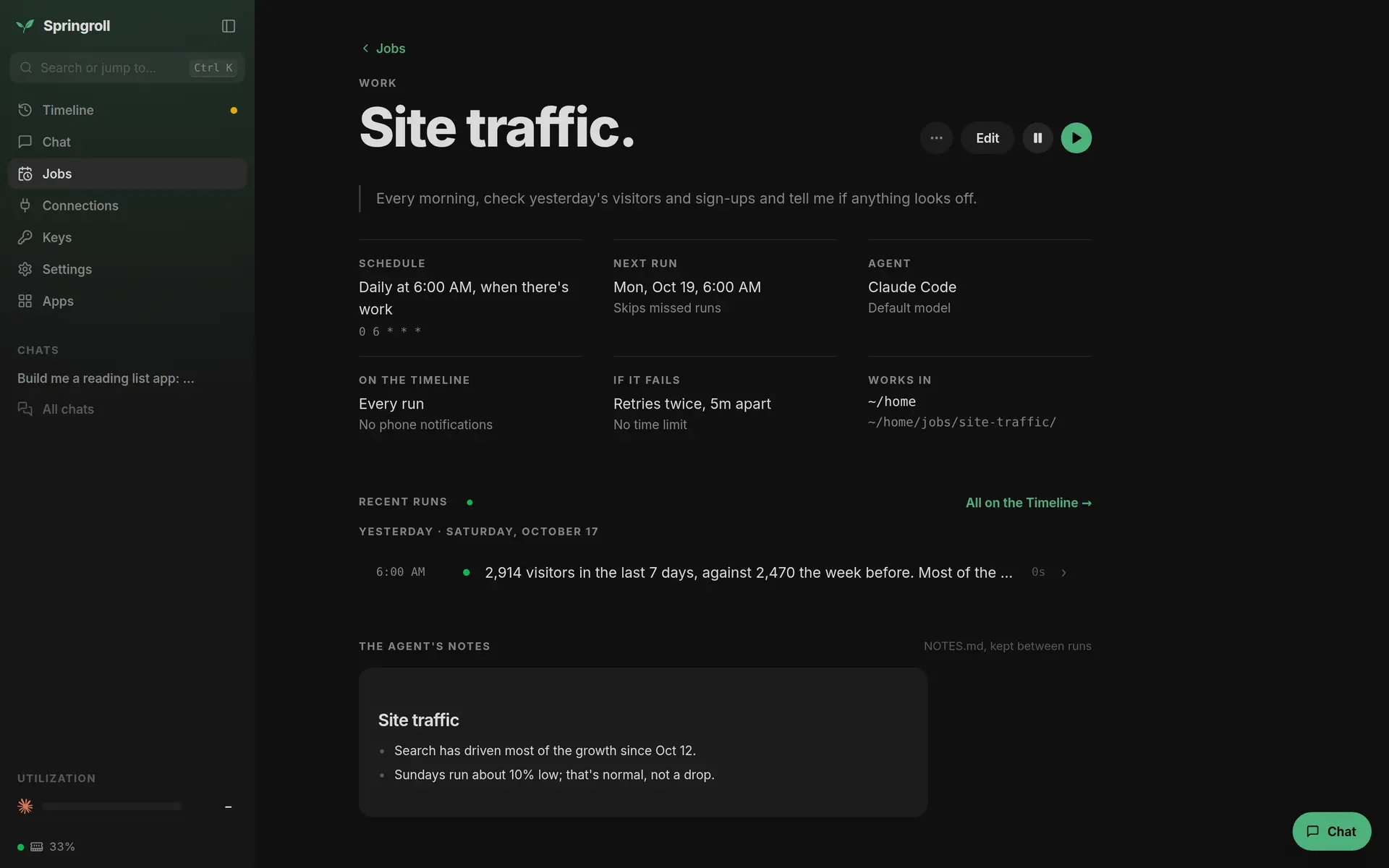
A job here isn't a cron line and a script that breaks quietly at 3am. Most are a sentence: "every morning, check yesterday's visitors and sign-ups and tell me if anything looks off." An agent does the work, writes a short report and keeps notes for next time.

When something does go wrong, you don't get dropped into a log file. The failure shows up on your Timeline with what happened, and one click hands it to an agent to fix. The machine looks after itself the same way: if memory or disk runs short, an agent works out what to stop.

The Site traffic job: its one-sentence prompt, schedule, agent, retries and the agent's notes

In your pocket.

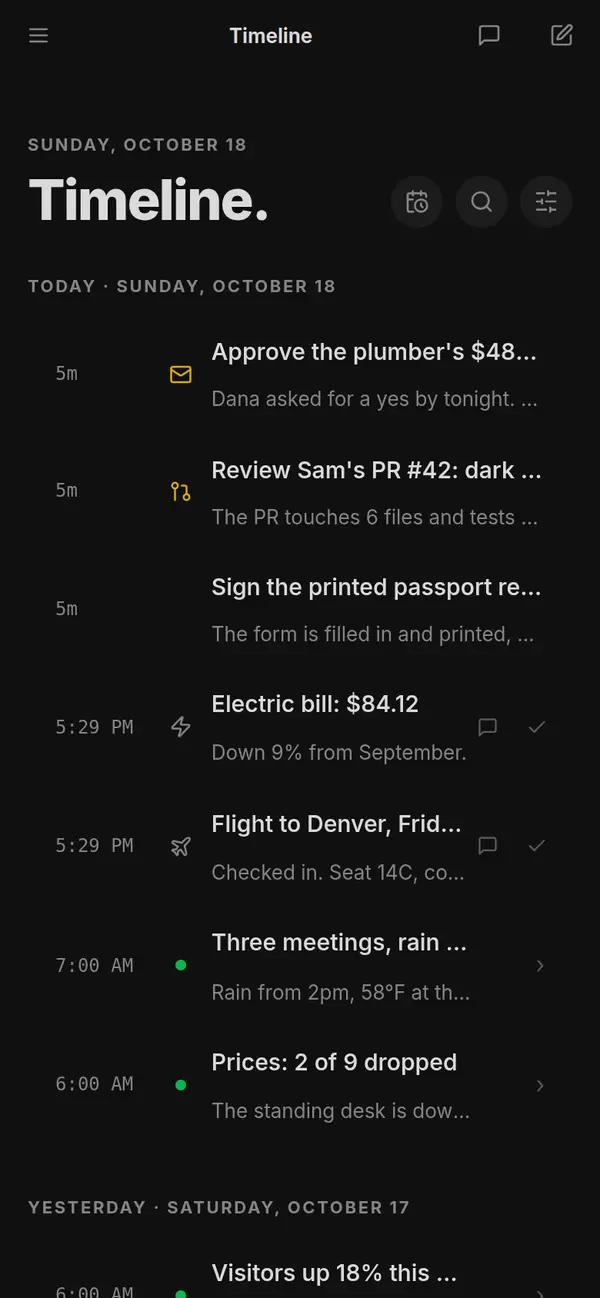
Springroll is a web page you can add to your home screen. Approve a quote, read a report or start a chat from wherever you are, with notifications when something needs you.

The Timeline on a phone

Under the hood.

  • A plain Linux server. Anything with systemd: Ubuntu, Debian, Fedora, Arch. No Docker, no Kubernetes. 4 GB of memory runs about five chats at once.
  • Real coding agents. Every chat is the agent's own CLI, driven through the Agent Client Protocol and running in its own process with its own memory limit. Adding another agent is one entry in a file.
  • One repo. Apps, jobs, Springroll itself and the agents' notes all live in ~/home, in git. An app is a folder with a small server and a JSON API; a job is a job.json and a NOTES.md.
  • Keys stay home. Secrets live on the machine and reach the agents as environment variables. An agent that needs one asks with a card on your Timeline, never in the chat.
  • Private by default. Everything listens on localhost. You reach it over Tailscale or exe.dev's private login.
  • One-file backups. Every night: the repo with its full history, every app's data, and your keys, encrypted. Restore onto a new server with one command, or keep copies in your own bucket.
  • Reports in Rollmark. Markdown with charts that reads fine anywhere. This page is written in it too.

Already have a Linux server?

Run this on it. Free and open source; it runs on the Claude or ChatGPT plan you already have, with no hosted service and no account with us.

Terminal
sudo git clone https://github.com/stumptowndoug/springroll /opt/springroll && sudo /opt/springroll/seed/install.sh